Best eSIM for Thailand: Is It Better Than Buying a Local SIM Card?
Every newbie asks me the same thing before their first trip: do I sort out a SIM card when I land or is this eSIM thing worth it? For most holidays the eSIM wins easily. How easily depends on how long you’re staying, and that’s what the rest of this page is about.
Quick Verdict: Is an eSIM Better Than a Local SIM?
For a trip of up to a month, buy a travel eSIM before you leave home. I’d get a Thailand eSIM through Airalo. It’s data-only, so you won’t get a Thai phone number, but it works as soon as you land and walk past the SIM counter queue. If you need a Thai number, or you’re staying two months or more, buy a standard local SIM in town. It’s cheaper over a long stay and worth the afternoon it takes to sort out.
| Travel eSIM (Airalo) | Airport Tourist SIM | Local Carrier Shop SIM (In Town) | |
|---|---|---|---|
| Where to buy | Online, before you fly | Carrier counters in the arrivals hall | AIS or True shops at Central Festival or Terminal 21 |
| Passport / biometrics required | No queue, no face scan at a counter | Yes: passport plus face scan | Yes: passport plus face scan |
| Setup time | 5 minutes at home | Depends on the queue after immigration | Most of an afternoon including the trip to the mall |
| Active on landing | Yes | Once the counter staff install it | No |
| Approximate cost | About US$10 for 50 GB / 10 days, about US$20 for unlimited / 15 days | 299 – 1,200 Baht | 49 – 99 Baht starter SIM plus your chosen package |
| Best suited for | Trips of 1 – 30 days | Phones that can’t take an eSIM | Stays of 30 – 60 days or longer |
Do You Actually Need Mobile Data in Pattaya?
Hotel Wi-Fi in Pattaya is standard and mostly reliable in the room. Central Festival and Terminal 21 both have it, and most cafes will give you the password with your coffee. The trouble is it all disappears when you walk out the door, which is exactly where you need it.
You’ll need it before you’ve even left the airport. Booking a Bolt or Grab from Suvarnabhumi to Pattaya means the app has to work, the driver has to find you and you have to be able to answer when he rings to say he’s at a different door. In town, the one-way streets catch out most newcomers. Beach Road runs one way and Second Road runs the other, so if you want to know whether the baht bus is heading your way you need Google Maps working on the footpath, not back at the hotel.
Pattaya also runs on Line. Your hotel front desk uses it, your tailor uses it and so does the lady you met on Soi 6. Nobody here asks for your phone number. They ask for your Line, and Line needs data.
The open Wi-Fi in bars and on the beach is fine for checking the footy scores, but I wouldn’t log into my bank on it. If you end up on public networks a lot, a VPN is cheap insurance.
The Case for a Travel eSIM (Why It Wins for Most Holidays)
An eSIM is a SIM card that lives in your phone as software. You buy it online, scan a QR code and it installs alongside your home SIM, so there’s no fiddling with that little pin and no tiny card to lose on the bedside table.

The biggest advantage is that your home number keeps working. Your home bank, PayPal and half the apps on your phone still send verification codes by SMS. Pull your home SIM out and put it in your wallet, and the first time you need to approve a transfer you’ll see the problem. With an eSIM, your home SIM handles calls and texts while the Thai eSIM handles data, both at the same time.
It also saves time. After a long flight and the immigration queue at Suvarnabhumi, the last thing you want is another queue at a SIM counter. With an eSIM you switch on mobile data walking through arrivals and have your car to Pattaya booked before you reach the baggage carousel.
Why I Recommend Airalo for a Thailand eSIM
Airalo sells a few eSIMs that work in Thailand and they are all data only, so you don’t get a Thai phone number with any of them. That matters less than you’d think. Grab, Bolt and Line all run on data, and the Grab and Bolt apps let you call or message your driver in the app when he can’t find you. Your home number still handles bank codes. If you do need a Thai number, a local SIM from a carrier shop is the answer, and I cover that further down.
Before settling on which plan to use, consider your likely use. Keep in mind that all hotels offer free WiFi. Airalo has 20GB for 15 days at about US$18. On a 30-day plan, 50GB is US$28 (alternatively, 20GB on a 30 day plan is US$19). I would avoid the unlimited plans unless you need them (15 days is about $40 and 30 days $50).
The validity clock starts when you install the eSIM, not when you land, so install it the day you fly rather than a week before. An Airalo eSIM can also only be installed once on one phone. Delete it by accident and it’s gone, so leave it alone once it’s in.
Check Current Airalo Thailand Prices
What Activating an eSIM Actually Involves
If you’ve never done it, “activate” makes it sound more technical than it is. It takes about five minutes on the couch at home, and most of that is typing in your email address.
Don’t install it early. You can buy the eSIM whenever you like, but your plan may start counting down the moment you install it. Install a 10 day plan a fortnight before you fly and it will have expired before you get to the airport. Buy it early if that makes you feel organised, then leave it in the app until the day you fly.
At home, on the day you fly:
- Download the Airalo app and make an account. You can buy on the website but the app makes installing easier.
- Buy the Airalo Thailand plan that suits your trip and pay by card like any other online purchase. Buying doesn’t start the clock, so you can do this weeks ahead.
- Tap Install, but only on the day you fly, because this is the step that starts your plan’s validity. Make sure you’re on Wi-Fi. On most iPhones and recent Android phones the app does the rest in a couple of taps. If it gives you a QR code instead, go to your phone’s mobile or cellular settings, choose Add eSIM and point the camera at the code.
- Your phone will ask you to label the new line. Call it “Thai” and leave your home SIM as “Home”.
- Turn the Thai line off for now. It will show no signal at home anyway, which is normal.
When the plane lands:
- Switch the Thai line on and set it as your line for mobile data.
- Turn data roaming off on your home line. Your home number still gets calls and bank SMS codes, it just won’t burn through roaming data.
- Give it a minute. The Thai line picks up a Thai network signal on its own, usually before you reach immigration. If it hasn’t connected after a few minutes, turn data roaming on for the Thai line only and it will come up.
You never show a passport or stand in front of a face scanner. The Thai line is data only, so there’s no number to hand out. If your driver or hotel needs to reach you, give them your Line or WhatsApp.
The Airport Tourist SIM Trap: What Really Happens at Arrivals
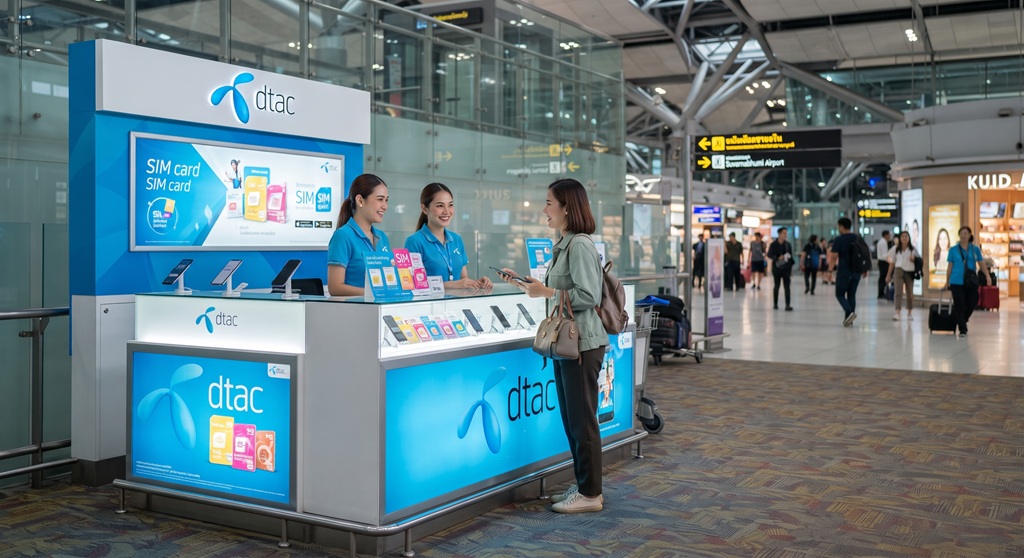
Walk out of immigration at Suvarnabhumi (BKK), Don Mueang (DMK) or U-Tapao (UTP) and you’ll see the AIS, True and dtac counters lined up in arrivals, each with uniformed staff and a board of tourist packages. The packages work fine, the staff install them for you and you walk away connected.
What they won’t sell you is the cheap stuff. The ordinary starter SIMs Thais buy for 49 – 99 Baht aren’t on the counter. You choose from tourist packages at 299 – 1,200 Baht depending on data and days, which works out dearer per day than the same carrier charges in town.
There’s also paperwork. Since August 2025 every new SIM sold in Thailand needs a passport and a live face scan matched against your passport photo. It’s the telecoms regulator’s anti-scam measure and tourists get no exemption. It only adds a few minutes per customer, but when three flights from Europe land in the same hour the queue moves slowly.
The airport counter makes sense for one person: the bloke whose older or carrier-locked phone can’t take an eSIM. If that’s you, buy the shortest package that covers your trip and get on with it.
Buying a Local SIM in Pattaya: The Cheapest Option for Long Stays
If you’re in Pattaya for a couple of months, the sums change. A standard prepaid SIM on a monthly package costs a fraction of tourist rates, and over 60 days the saving covers a few decent nights out.
Go to the official carrier shops. AIS and True both have stores in Central Festival on Beach Road and in Terminal 21 at the Dolphin roundabout end of town. Take your passport and expect the face scan and a queue on weekends. Staff will put the SIM in, set it up and usually have enough English to explain the packages. 7-Eleven sells starter SIMs and top-up cards too, but under the biometric rules most branches will send you to a carrier shop to get it activated.
A local SIM is worth the effort if you’re:
- Staying 30 – 60 days or more, where monthly packages beat buying eSIM after eSIM
- Planning to open a Thai bank account, since the bank will want a Thai number registered in your own name
- A regular visitor who wants to keep the same Thai number year to year by topping it up from home
For a 10 day first visit, losing your first afternoon in a mall to save a few hundred Baht isn’t worth it.
Network Coverage: AIS vs TrueMove and dtac
Thailand effectively has two big networks now. TrueMove and dtac merged in 2023, so True and dtac now share one combined network. AIS is the other one. The plan details in the Airalo app show which network each Thailand eSIM runs on.
In central Pattaya, Jomtien and Naklua both networks give strong 4G and 5G, and you won’t notice any difference walking Beach Road or Walking Street. True and dtac are solid along the whole length of Sukhumvit Road through town. AIS has the edge on Koh Larn and further out in Chonburi, so if you’re spending days on the island or heading down to Sattahip it’s the safer bet.
I purchased a dtac SIM on my first visit to Pattaya in 2006. I still use the same service and number. I have never noticed any dropouts on either calls or data. The feature I like is that it is possible to extend the credit validity at just 3 Baht per 30 days. This allowed me to keep my number active even during the long gap away during COVID.
For a first visit based in town, coverage shouldn’t decide anything. Pick whatever suits the length of your stay.
Practical Tips Before You Land
- Check your phone is unlocked and takes an eSIM. Most phones from the last few years do, but one bought on a carrier plan may be locked. Check your settings or ring your carrier before you leave, not from the departure lounge.
- Install the eSIM on the day you fly, not a week before, because installing is what starts the plan’s validity. Do it at home on your own Wi-Fi rather than scanning a QR code on airport Wi-Fi at 2 am.
- In your mobile settings, set the Thai eSIM for mobile data and leave your home SIM for calls and texts.
- Turn data roaming off on your home line. This is the one that catches people. Leave it on and your phone may use your home carrier’s international roaming instead of the eSIM, and you’ll find out when the bill arrives.
- Rename your lines “Home” and “Thai” so you know which one you’re calling from.
- Tourist eSIMs generally can’t be topped up. If you run out, buy another plan in the app. A local SIM tops up at any 7-Eleven counter or through the carrier’s app.
- Don’t delete the eSIM until you’re home. An Airalo eSIM installs once and can’t be reinstalled.
Sort this out at home and you’ll spend your first hour in Thailand in the back of a car heading down the motorway to Pattaya, not standing in a queue under the arrivals hall lights.

Last Updated on 18 October 2026 by Rob